Run your entire
business from one workspace.
A VS Code-style operating environment for modern business teams. Real-time KPIs, AI agent sessions, banking, and decision intelligence - all in one place. No switching tabs. No missing context.
Business intelligence shouldn't live in 12 different tabs.
The average SME operations team switches between 6-12 tools every day. Finance in the ERP, banking in one portal, approvals in email, forecasts in a spreadsheet. By the time a decision needs to be made, half the context is missing.
Context switching kills focus
Finance in ERP, approvals in email, forecasts in spreadsheets. Every context switch costs 23 minutes of focus time.
Decisions without full context
When data lives in silos, decisions are made on partial information. Exceptions get missed. Problems compound.
Manual work that should be automated
Bank reconciliation, invoice reminders, month-end reports - hours of work that a connected system should handle automatically.
Every metric, one command away.
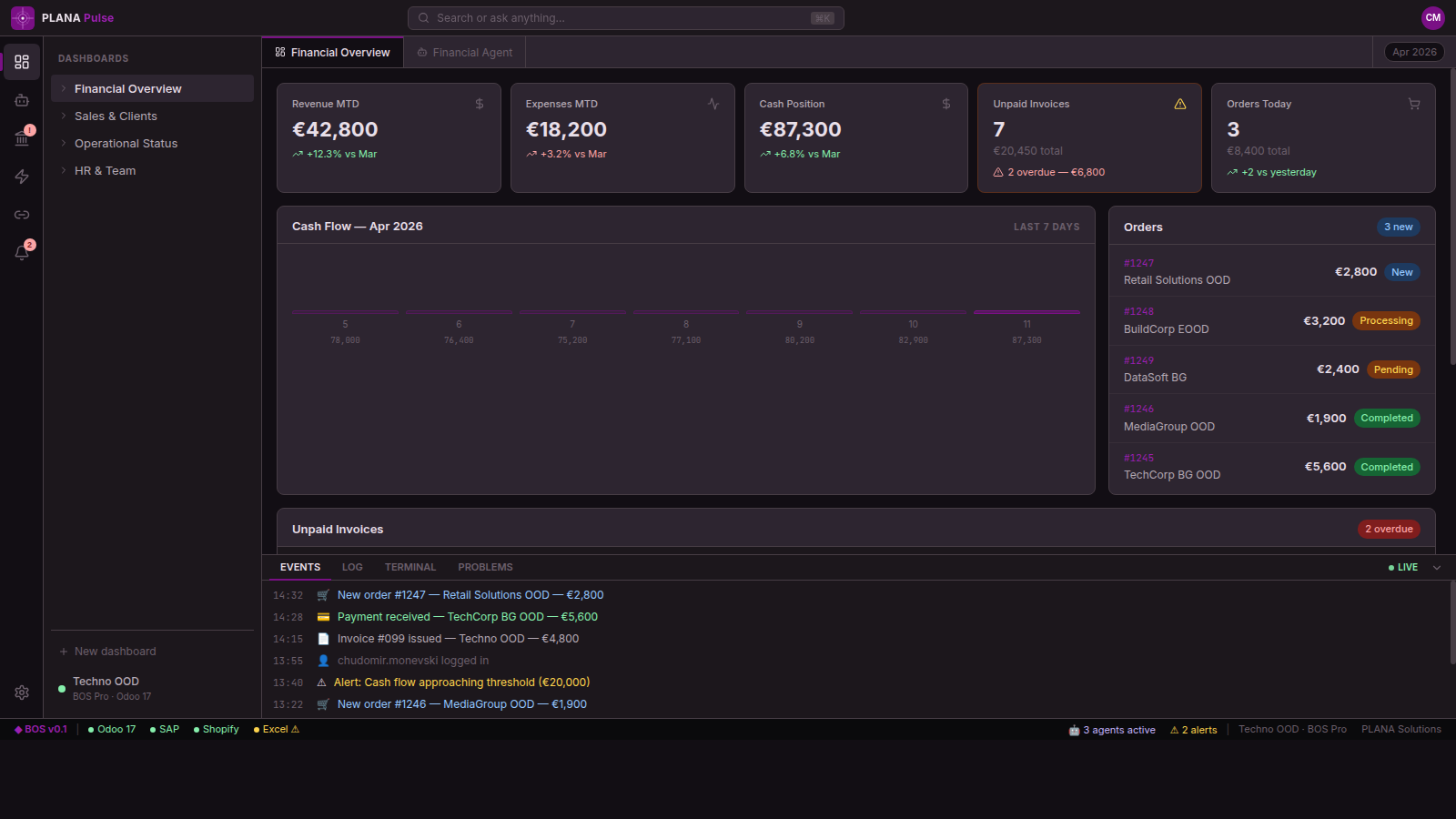
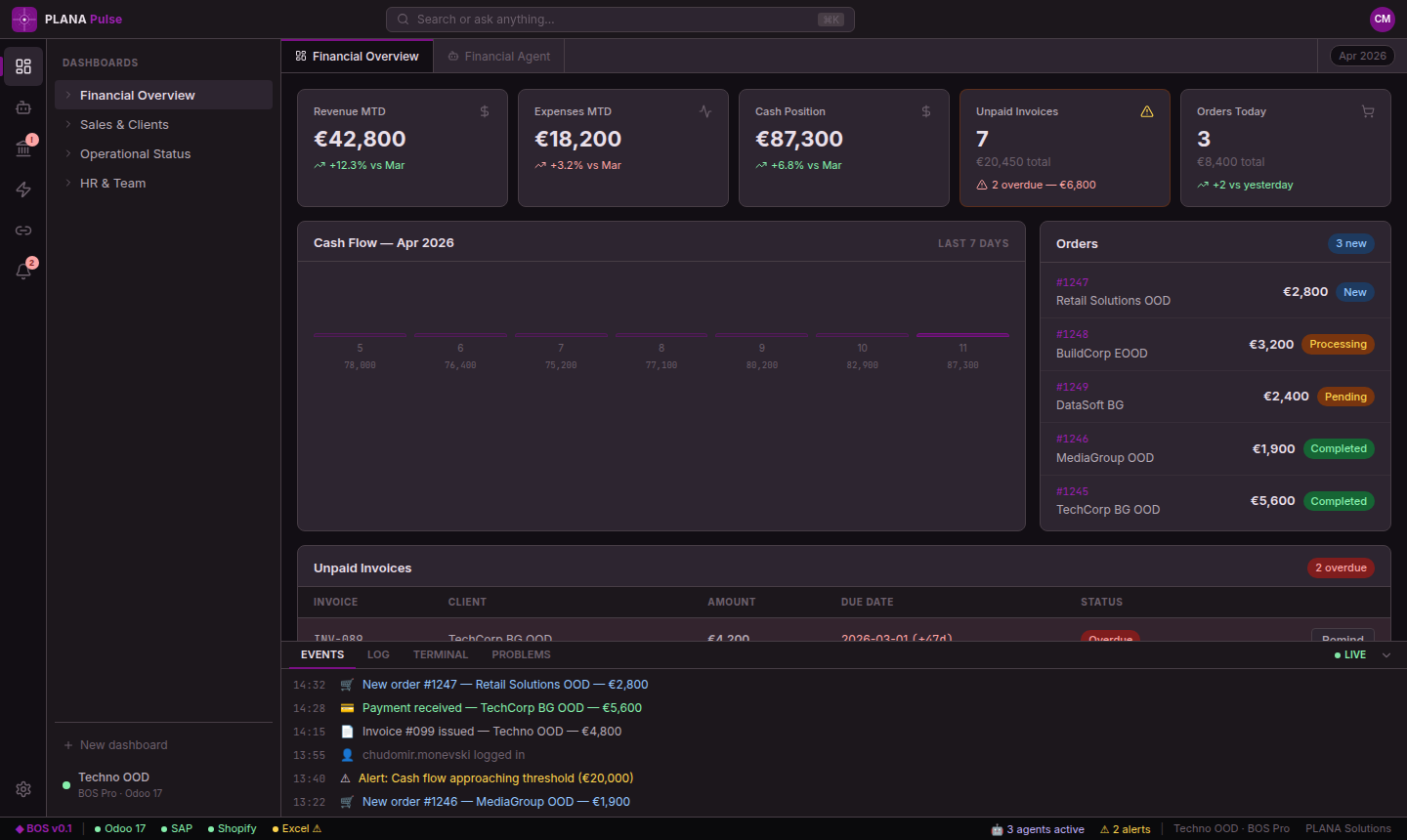
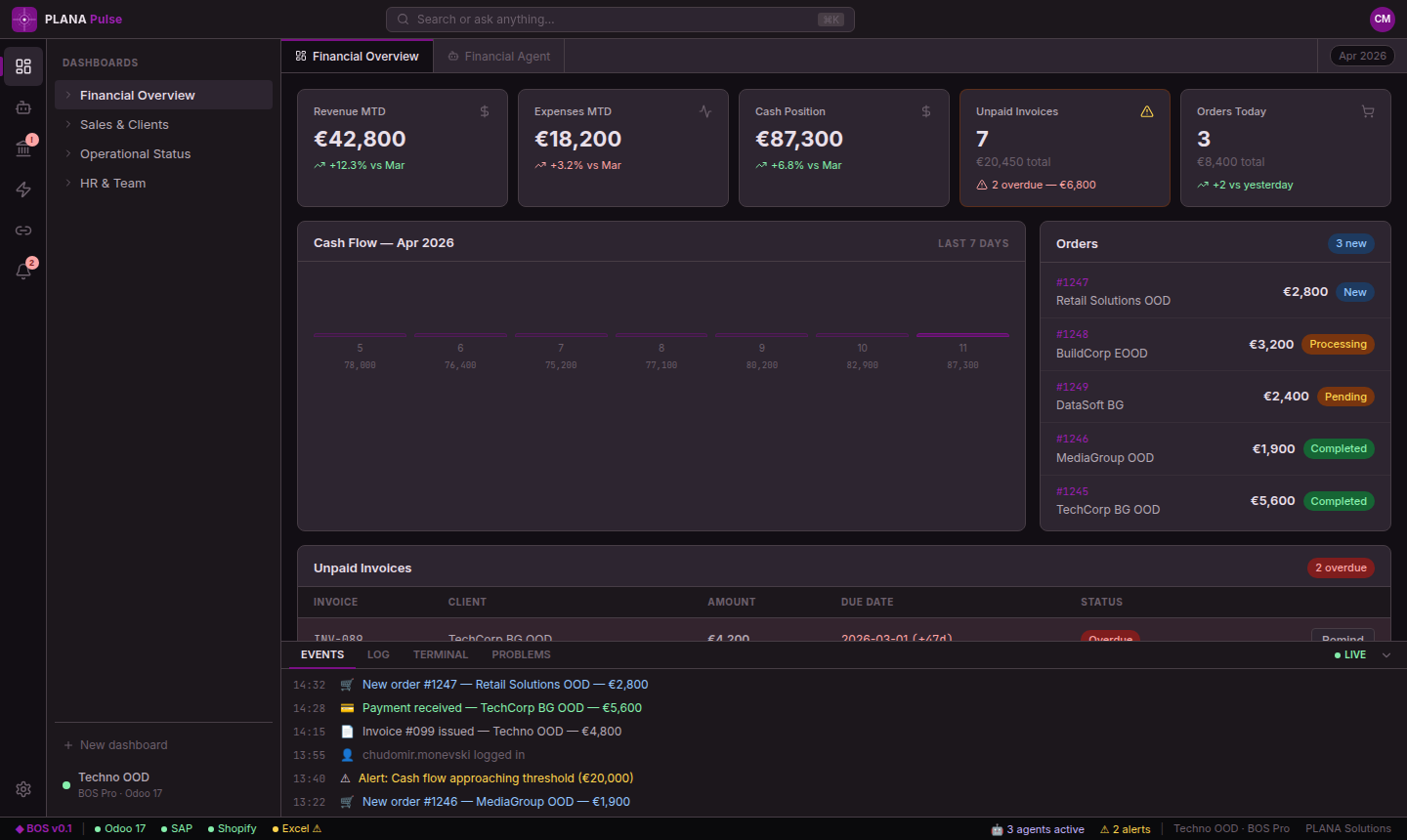
Your financial overview, cash position, open invoices, and pending actions - all on a single screen that updates in real time. No refreshing. No manual reports.
See all 23 overdue invoices, 4 pending approvals, and 2 reconciliation exceptions at a glance - without opening Odoo once. The dashboard is your operational source of truth, not a summary of yesterday's data.
- Real-time KPIs: Revenue, Cash Flow, AR/AP positions
- Overdue and upcoming invoice tracker with one-click actions
- Cash flow chart across the last 7 days
- Anomaly alerts surfaced automatically - no configuration needed
Banking and GL - reconciled in minutes, not hours.
Every bank account, every transaction, every GL entry - in one view. Pulse OS shows you exactly where your books and your bank statements diverge, and surfaces the exceptions that need your attention.
A 50-person company typically processes 300-600 bank transactions per month. Manual reconciliation takes 4-8 hours. With Pulse OS, exceptions are flagged automatically and the rest reconciles without you touching it.
- Multi-bank view: DSK, UniCredit, and others in one panel
- Side-by-side Bank vs. GL reconciliation table
- Matched / Unmatched / Pending status per transaction line
- 7-day cash flow visualization with income/expense breakdown
Know what needs attention before you ask.
Pulse OS monitors your business continuously and surfaces anomalies proactively. You don't need to build dashboards or set up reports - the system tells you when something is off.
When cash flow drops below your configured threshold, when an invoice exceeds its overdue window, or when a vendor payment is pending approval - you see it in Alerts before it becomes a problem. Every alert includes a chart, a threshold, and a recommended action.
- Pre-configured alert rules for finance, operations, and compliance
- Threshold charts showing the metric trend over time
- One-click actions: approve, escalate, or delegate each alert
- Alert history and audit trail for every resolved item
Act fast with the command palette.
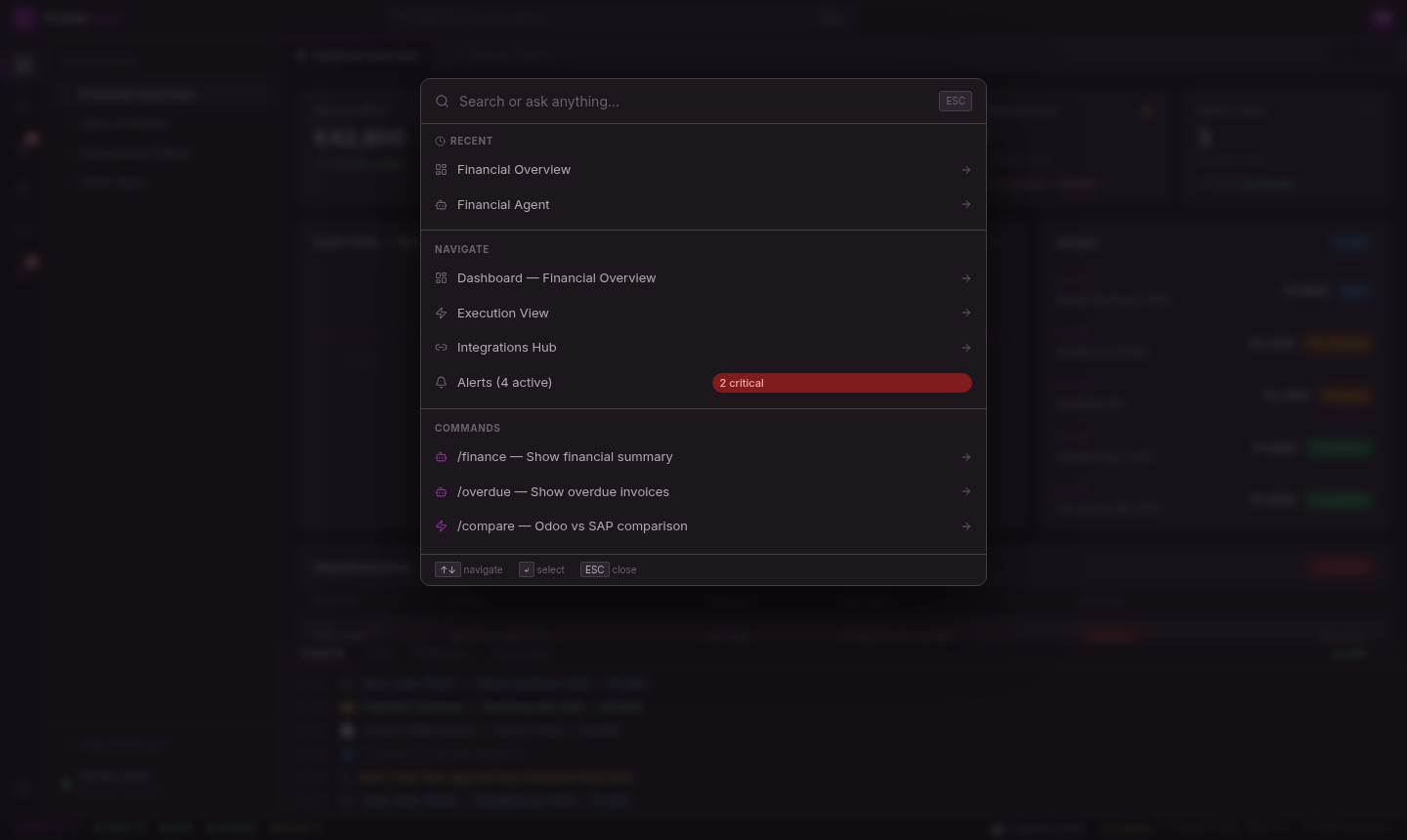
Press Ctrl+K anywhere in Pulse OS and a global command palette opens. Type what you need - a report, an action, a navigation command, or a natural-language instruction to an AI agent - and execute it instantly.
Power users run their entire workday from the keyboard. The command palette supports both structured commands ("Create invoice", "Open Banking", "Export Q2 report") and free-form AI queries that route to the right agent automatically.
- Global Ctrl+K shortcut - available in every view
- Fuzzy search across all actions, views, and commands
- Natural language → AI agent routing built in
- Keyboard-first: arrow keys, Enter, Escape - no mouse required
Everything a business workspace needs.
Tab-based navigation
Open multiple modules simultaneously - Dashboard, Banking, and Agents all visible at once, like browser tabs.
Live Status Bar
A persistent footer showing system health, active agents, ERP sync status, and last-updated timestamps.
Integrations view
See all connected data sources - Odoo, banking APIs, CRM - with sync status and last-update timestamps per connector.
Execution log
Every AI-driven operation creates a structured execution record - what ran, what changed, what needs review.
Role-based access
Finance team sees finance data. Operations sees their modules. Admins configure what each role can view and act on.
Mobile-first design
The full Pulse OS workspace works on tablet and mobile - check KPIs, approve alerts, and chat with agents on the go.
Your business deserves a real operating system.
See how Pulse OS replaces the chaos of disconnected tools with one intelligent workspace. 30-minute walkthrough, real data, no slides.
7-day free trial · No credit card · <1h deployment